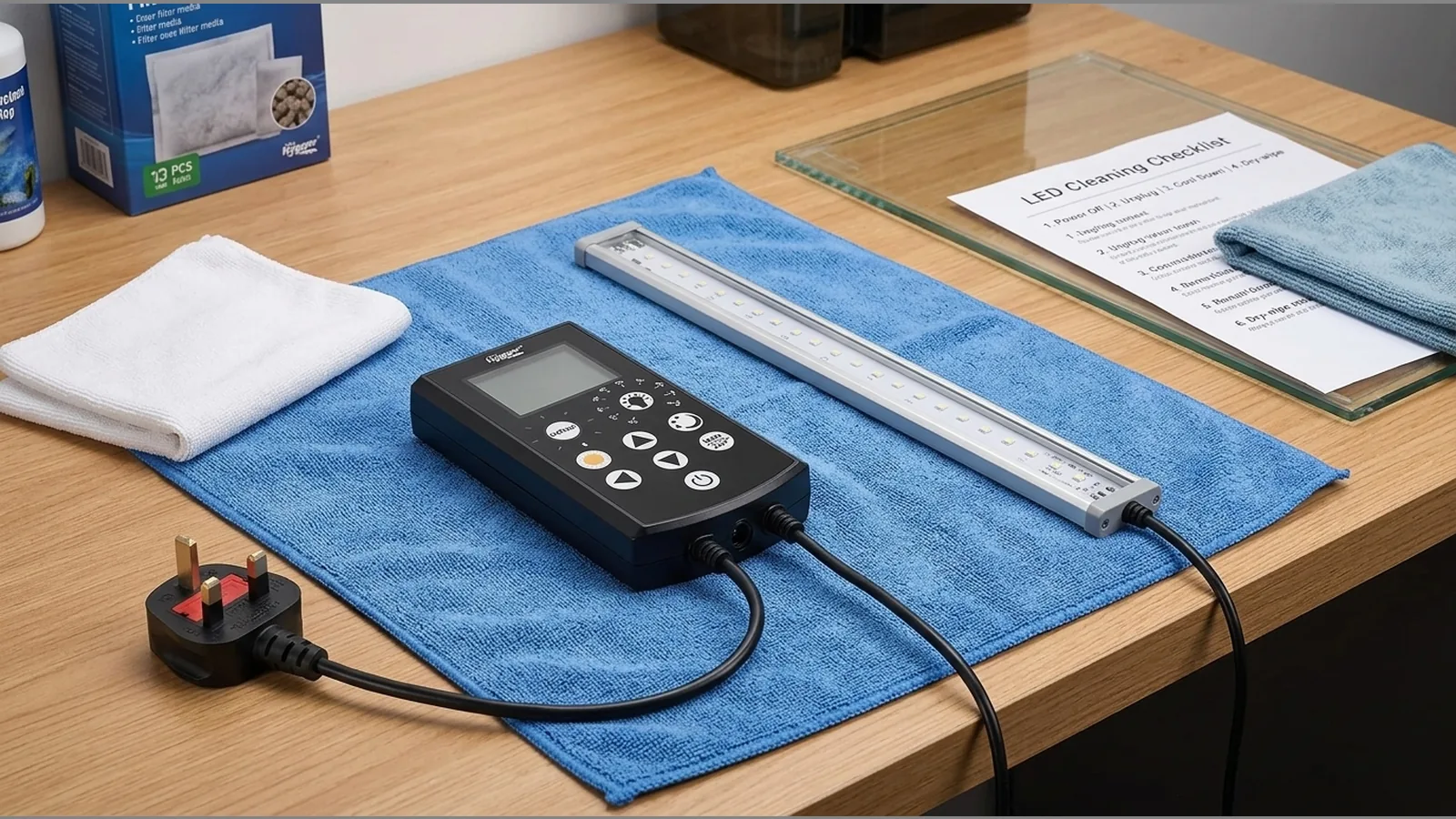
How to Clean an Aquarium LED Light: A Power-Off, Instructions-First Checklist
How to clean an aquarium LED light safely starts with powering the fixture off, letting it cool, and following the manufacturer’s manual for every component—never immersing the lamp, controller or adaptor, and never using acids or solvents unless the maker expressly approves them.
Direct safety answer
Treat cleaning as routine ownership care, not a performance upgrade. Dust, spray and mineral film on the light path can affect how clearly light reaches the tank, so keeping the fixture clear is a practical concern alongside placement and everyday husbandry. Work only on surfaces the manual says you may wipe, keep liquids away from electronics, and do not expect cleaning alone to restore output or extend lifespan.
Check manual and component boundaries
Before any wipe-down, read the supplied instructions for your exact model. Waterproof ratings for the light body, display timer controller and adaptor are not something to assume from looks alone—if the manual does not say a part may get wet, keep it dry. Where guidance conflicts with habit, the manual wins. Avoid naming any chemical as universally safe; only products the manufacturer lists, or plain methods it allows, belong in your routine.
Power off and cool
- Switch the light off at the controller and unplug the adaptor from the mains.
- Allow the fixture and housing to cool fully before you touch lenses, covers or mounts.
- Keep the cable and plugs clear of tank water while you work.
A cool, disconnected unit reduces burn and short-circuit risk and makes it easier to see dust versus stuck deposits.
Dry dust versus deposits
Start dry. Use a soft, dry microfibre cloth or a clean soft brush to lift loose dust from the outer housing and any accessible light-facing surfaces the manual permits. For mineral deposits or light limescale haze on hard outer covers only—again, only if the instructions allow—dampen a cloth with clean water, wring it almost dry, and wipe gently. Do not flood seams, vents or sockets. If residue remains, stop and check the manual rather than reaching for acids, descalers or solvents without approval.
Clean lid separately
If your aquarium has a glass or plastic lid that sits under the light, clean that lid as its own job. Remove it if the set-up allows, wipe both faces with a soft cloth and water as needed, dry thoroughly, then refit so spray and condensation are less likely to sit on the fixture. A clear light path and a stable plant-care routine both support a healthier planted system; lid cleaning is part of that housekeeping, not a substitute for it.
Inspect cable and mounts
- Check the power lead for nicks, crushed sections or bent plugs.
- Confirm brackets, clips or standing mounts are secure and free of sharp edges against the cable.
- Look for moisture around connectors; dry contact areas only as the manual allows, then leave everything fully dry before powering on.
Replace damaged cables or mounts through the correct spare or support route; do not tape over damaged insulation as a long-term fix.
What not to immerse
Do not immerse the lamp, controller or adaptor in tank water, sink water or cleaning solution. Do not rinse them under a tap. Do not soak seals, display faces or plug ends. Routine tank maintenance and algae prevention still matter for system stability, but they must stay separate from drowning the electronics. If you need deeper cleaning than a damp outer wipe, contact the seller or manufacturer with your model details first.
When to stop using it
Stop using the light and unplug it if you notice cracked housings, exposed wiring, burning smells, persistent moisture inside sealed areas, loose live parts, or any damage the manual treats as unsafe. Do not keep running a compromised fixture while you wait for advice. Note the model marking (for example a full-spectrum RGB LED aquarium light with display timer controller sized for a stated tank range) so support can identify the correct unit.
Soft product next step
If you are matching a fixture to a 50–60 cm tank and want the current product details for the GAKO GK160-45 25W full-spectrum RGB LED aquarium light with display timer controller—including the 12-month warranty that applies to products sold on this site—review the listing before you buy or replace parts. Warranty start rules, exclusions and claim steps are not expanded here; rely on the product page and after-sales terms for those.
FAQ
Can I use vinegar or descaler on an aquarium LED light?
Only if your manufacturer’s instructions expressly allow that product on that surface. Otherwise stick to dry dusting or a barely damp water wipe on permitted outer areas, and avoid acids or solvents without approval.
How often should I clean the light?
Clean when you can see dust, spray marks or mineral film on the light path, and include a quick visual check of cable and mounts during normal tank maintenance. There is no universal interval that fits every room and hood.
Will cleaning make the light brighter or last longer?
Cleaning helps keep the light path clear; it does not promise restored output or extra lifespan. Treat it as safe housekeeping, not a performance claim.
What about removing limescale from an aquarium light?
Address light mineral film only on surfaces the manual allows, with minimal moisture and no immersion. Stubborn deposits are a reason to pause and seek model-specific guidance rather than force a harsh cleaner.